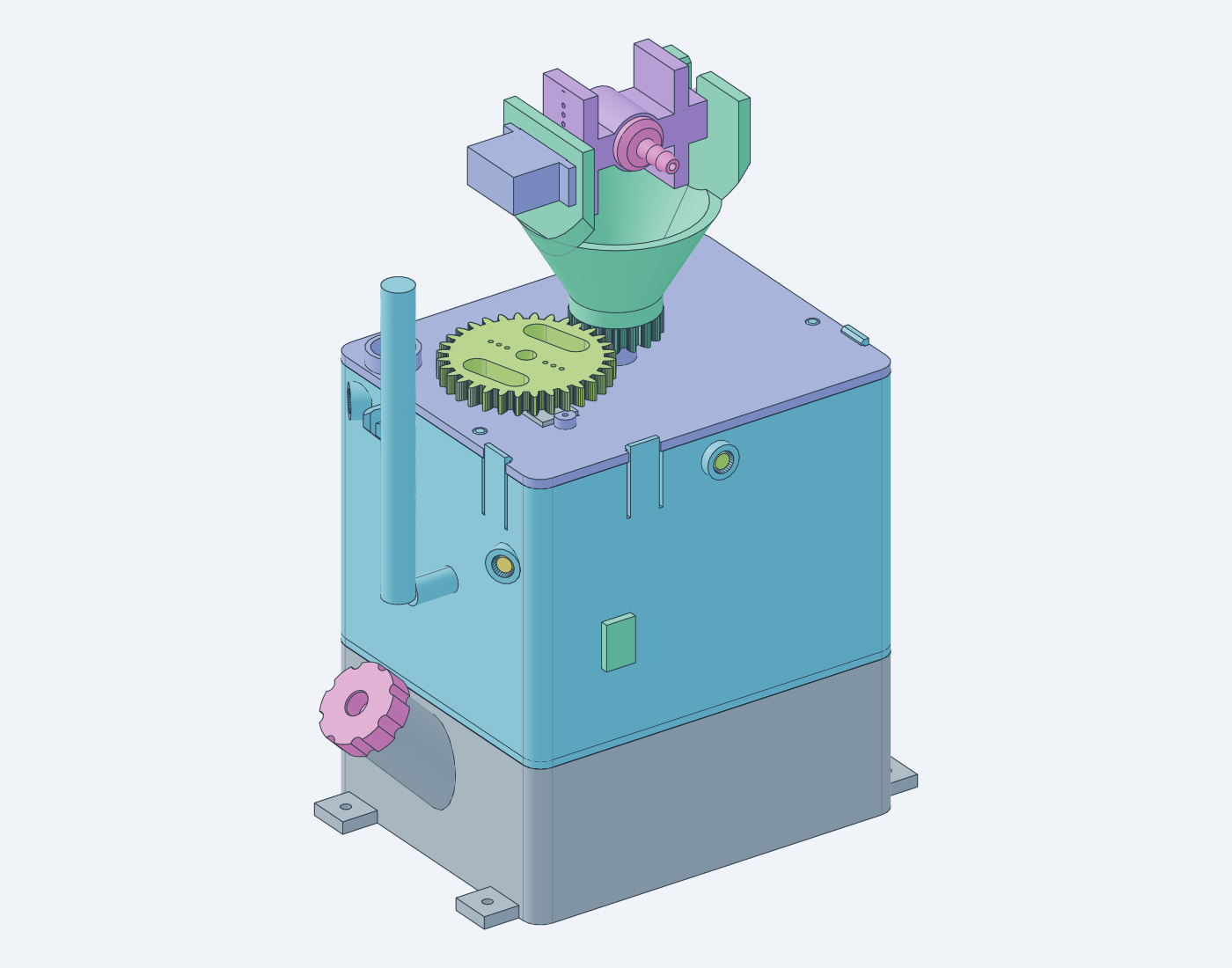
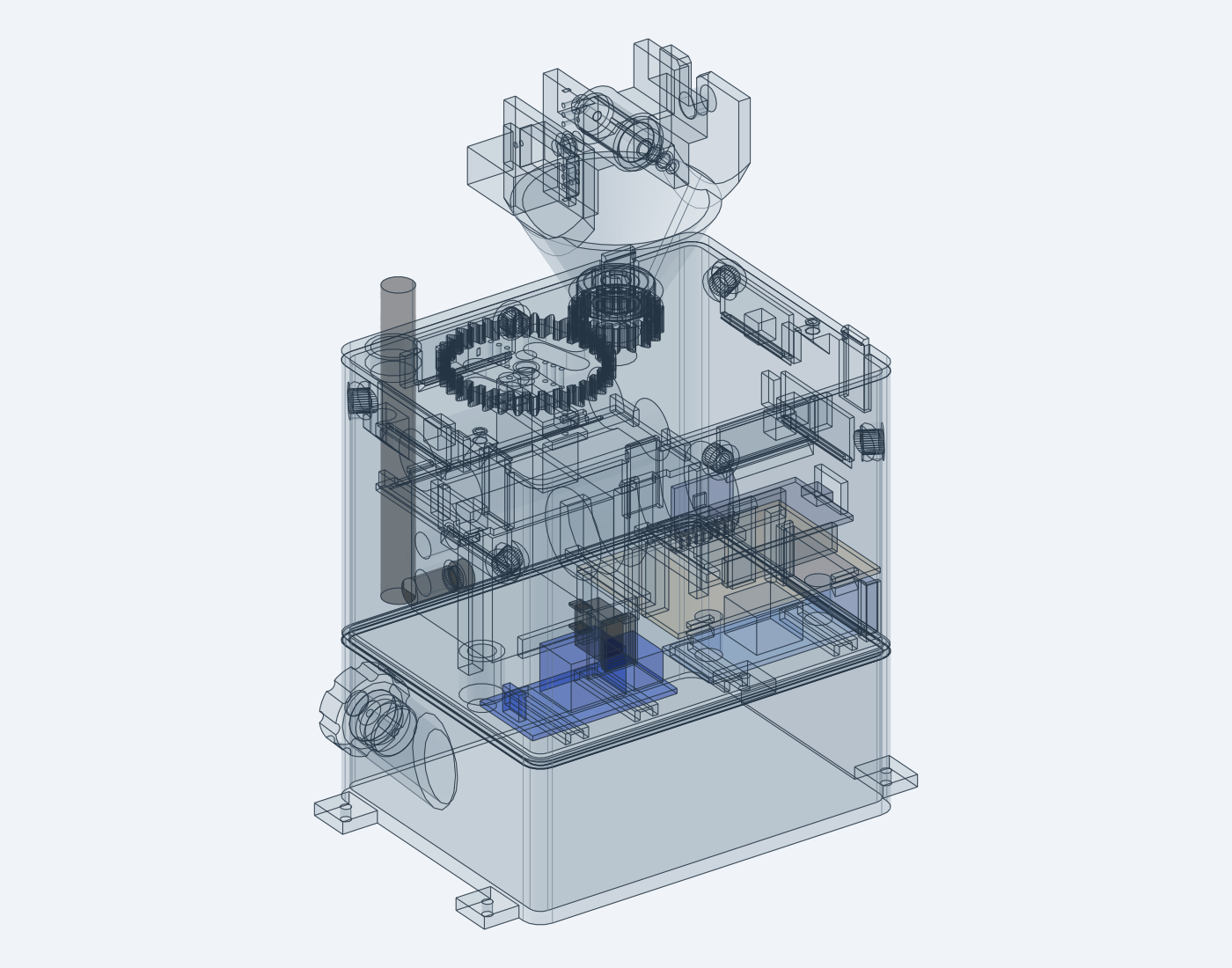
Printable water turret: a compact stacked housing (water tank, electronics deck, cover; 126 × 100 mm footprint) with a pan/tilt nozzle head on top, high enough that the spray clears the housing when aimed 37.5° down. Six IR flame sensors look out of the deck at 60° steps, so it detects a flame in any direction; an ESP32 aims the head, corrects the aim for the base’s tilt with an MPU-6050 IMU, and switches a diaphragm pump through a relay. A flat-fan nozzle and a tilt sweep while spraying cover the sensors’ coarse direction estimate. Pan uses a 2:1 printed gear stage so a 180° MG90S turns the head a full 360°; tilt is direct-drive. The printed parts snap, press or slide together; only the servos take screws.
| Solid | X-ray |
|---|---|
|
|
The top view shows what the flame sensors see and where the spray can
land on the floor; the side view cuts through the +Y and −Y sensors.
scripts/coverage.py draws both from the model’s
parameters.
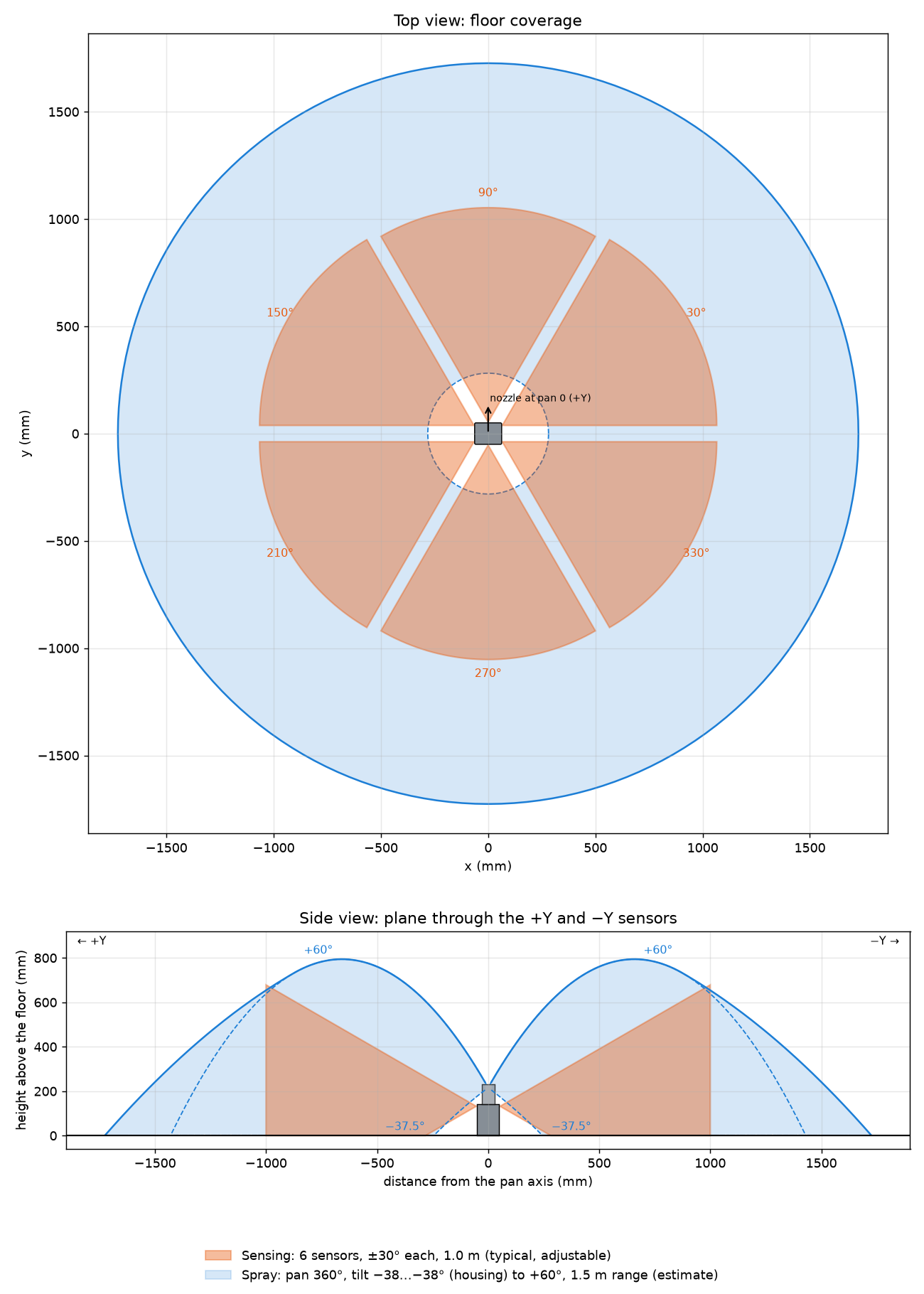
SENSE_R and REACH at the top of the script
take the measured values.
The models are parametric build123d/cadgen scripts. Print target:
Bambu Lab P1S, 0.6 mm hardened nozzle, PLA. The ESP32 firmware lives in
firmware/.
The documentation index links every guide:
src/                 Part models (one decorated model per script) and the assembly
src/lib/             Shared parameters, features, gears and purchased-part stand-ins
src/plates/          Print plates (3MF)
src/guide/           Wiring harness model, wiring and assembly guide scenes, perfboard maps, figures
firmware/            ESP32 firmware (PlatformIO): src/ by concern, include/config.h
checks/              Interference check over the pan/tilt range
scripts/             Build, slice, guide-render and viewer helpers
print/presets/       OrcaSlicer presets (P1S 0.6, PLA)
docs/                Documentation source (Markdown); docs/img holds generated images
docs-html/           Compiled HTML (generated by tern)
STEP/, 3MF/, gcode/ Generated outputs (git-ignored, except STEP/imported)The following commands rebuild every model, check for collisions, slice the plates and render the wiring and assembly guides:
scripts/build.sh
(source scripts/env.sh && "${CADGEN[@]}" python checks/interference.py)
scripts/slice.sh
scripts/guide.shscripts/view.sh starts cadgen’s CAD viewer in the
background (or reuses a running one) and prints browser links grouped by
what you are working on. The step images in the wiring and assembly
guides link to their scenes, so clicking a render opens it in the
viewer. In the assembly, the viewer’s joint sliders pose the pan (−180°
… 180°, with the servo gear turning at half speed) and the tilt (−60° …
+60°), and any face or edge can be selected and measured.
scripts/view.sh                   # all groups
scripts/view.sh wiring            # wiring diagrams (2D) and scenes (3D)
scripts/view.sh assembly          # mechanical assembly scenes
scripts/view.sh plates            # print plates and the assembly
scripts/view.sh STEP/deck.step    # a specific file
scripts/view.sh stop              # viewer
The models and the docs must be built first
(scripts/build.sh, scripts/guide.sh,
nix develop path:. --command tern).
The documentation (this README and docs/) compiles to
docs-html/ with:
nix develop path:. --command tern